
 George Miller
WinRAR Review – Should You Use the Windows 95 Era Utility in 2026?
How many Windows utilities you know from the mid-1990s that still exist on the market? And that too with little changes in its user interface? 1995-born WinRAR is definitely one of them, and it’s even older than the good old VLC media player. The best part is that the file archiving software is still punching above its weight and it’s already 2026!
Most PC users are familiar with the file compression utility. Maybe it came bundled on an old machine. Maybe it was the thing that unpacked game mods, software downloads, or a folder that was way too big to send over email. Whatever the case, WinRAR never really faded into the background. If anything, it has managed to hang on while plenty of competitors have come and gone.
Over the years, cloud storage took off. Windows got better at handling ZIP files. Browser-based archive tools started popping up all over the place. On paper, WinRAR should’ve been pushed aside by now. Yet WinRAR is still showing up on new PCs. Still getting downloaded. Still being talked about.
Sure, the interface looks a little long in the tooth. Nobody is firing up WinRAR because it has a sleek modern design. But people don’t keep coming back to software for thirty-plus years by accident. They come back because it works. Day after day. Year after year.
As an AI-age consumer, should you still trust the old workhorse? Let’s find out.


Pros & Cons
- Clean and user-friendly UI
- Low learning curve
- Fast and stable performance
- Military-grade encryption with backup and recovery options
- An old-fashioned interface
Why Is WinRAR Still Talked about in 2026?
It is expected that a software program developed in 1995 would not have survived the competition from the disruptive technologies that literally brought paradigm shifts in the market. But to everyone’s surprise, WinRAR did. And it did so with great panache.
In fact, a lot of programs from that era simply slipped into oblivion. Some got acquired, some abandoned, some rebranded, and some simply perished. We have reached an era of faster, cheaper, sleeker software programs that make those Windows 95-era precursors look like dinosaurs.
WinRAR, however, still dwarfs its much, much younger counterparts in terms of number of active users worldwide. Instagram has 3 billion active users, and our little boy has got 500 million individual and business users worldwide!
A Utility That Overdelivers
If you look at the solutions it offers, the large number of users won’t seem too surprising. WinRAR actually promises a little, and it overdelivers.
It is branded as a file compression tool, but it hides a lot of extras under the hood. But let’s first focus on the basic promise of WinRAR.
People still need to bundle files together. They still need to compress downloads, archive their work projects and save somewhere locally, move backups around, and send large files. That’s where WinRAR is still relevant, and useful.
Yes, we all know cloud storage is convenient and is actually a great way to save and secure our files. But it doesn’t eliminate the need for file compression and archiving.
If anything, large media libraries, software packages, and backup collections have made organization more important than ever.
It Covers the Basics (And More)
In my opinion, the bigger reason is that WinRAR still does a handful of things many users actually need. For example, it offers archive splitting.
You can compartmentalize large archives into small volumes, move these smaller archives across your devices, upload to servers, cloud or not, or send through services that have file size caps. And that’s only a small part of the whole story.
A lot of archive tools can zip and unzip files. That’s table stakes these days. WinRAR goes further with things like recovery records, password protection, and broad format support.
None of those features are particularly exciting on paper. But when a download gets corrupted or a huge archive needs to be broken into manageable pieces, suddenly they matter a whole lot more.
Self-extracting archives are another good example of what it can do beyond compression. Rather than asking the recipient to install archive software, WinRAR can package files into executable archives that unpack themselves.
In corporate environments, software distribution, deployment packages, and internal installation kits still rely on this approach more often than many people realize.
It Has Got the Greatest Loyalists Inside the Business Community
It’s no surprise that businesses haven’t completely moved on from WinRAR. Enterprise environments tend to be conservative. If a tool has been working reliably for years, there’s often little incentive to rip it out and replace it.
WinRAR’s support for multi-volume archives, encryption, automation workflows, and long-standing Windows compatibility still checks a lot of boxes for organizations managing large amounts of data.
A Familiar Tool That Has a Cultural Footprint
WinRAR benefits from something newer competitors can’t easily manufacture: familiarity. Millions of users have already worked with it. IT departments know it. Support forums know it. Documentation exists everywhere.
One thing is for sure. A software that survives three decades of fierce competition is not surviving because its sleek, or exciting. It’s surviving because it falls in the region of “less talk and more action” legacy solutions. People find it simple, reliable, and low-cost (more on this later), so they simply stick around.
WinRAR in a Competitive Landscape – Strengths and Shortcomings
| Feature |
WinRAR |
Bandizip |
WMaster ZipKing |
ExtractNow |
| Primary Purpose |
File compression and extraction utility |
File compression and extraction utility |
Compression, extraction, and media/document compression suite |
Batch archive extraction utility |
| Supported Archive Creation Formats |
RAR, ZIP, and 40 others |
ZIP, 7Z, ZIPX, EXE (SFX), TAR, TGZ, ISO, GZ, XZ, LZH and others |
ZIP and archive creation tools |
Not an archive creator |
| Supported Archive Extraction Formats |
RAR, ZIP, CAB, ARJ, TAR, GZip, ISO, BZIP2 and others |
40+ archive formats including ZIP, 7Z, RAR, RAR5, ISO, TAR, XZ, ZIPX and others |
ZIP, RAR, 7Z, TAR, GZIP, ISO, JAR, WIM, WAR and others |
ZIP, RAR and other major archive formats |
| Multi-Volume Archives |  |
|
|
Not specified |
| AES-256 Encryption | |
|
|
Not listed |
| Password-Protected Archives | |
|
|
Password list support for extraction |
| Archive Repair Tools |
Recovery records and archive repair features |
Archive Repair (Professional Edition) |
|
|
| Self-Extracting Archives (SFX) | |
|
|
|
| Antivirus/Antimalware Integration |
Supports external antivirus scanning |
Antimalware archive scan (Professional Edition) |
|
|
| Batch Extraction |
Supported |
Supported |
|
Core feature |
| Operating System |
Windows (CLI available for Linux/macOS), RAR for Android |
Windows, macOS, Portable Version |
Windows |
Windows |
| Pricing Model |
Paid license with trial period |
Free version + Professional Edition |
Free version + paid plans |
Free |

Exploring the World of WinRAR – What Did I Find?
Instead of plain compressing and decompressing files, I decided to explore the extras that WinRAR offers. After all, it’s a file compression tool that should be able to perform the basic tasks. But it’s the extras that increase its value-for-money quotient.
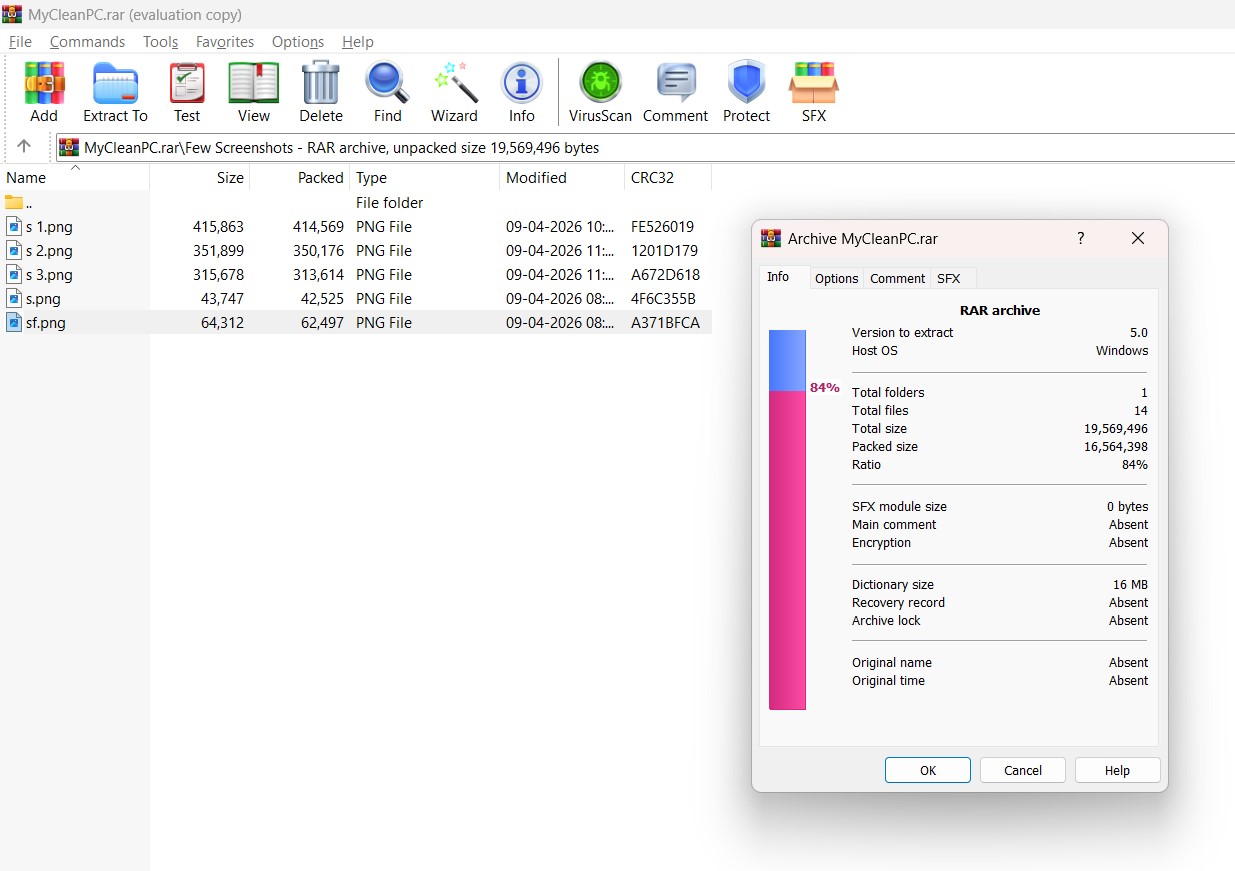
I first explored the much talked-about “Recovery Record” feature. It resides inside the archive settings, and you can add recovery data to the archive itself.
It is set to 3% by default, but you can tweak it as per your preference. If a fil gets damaged or corrupted, the recovery records can save your bacon.
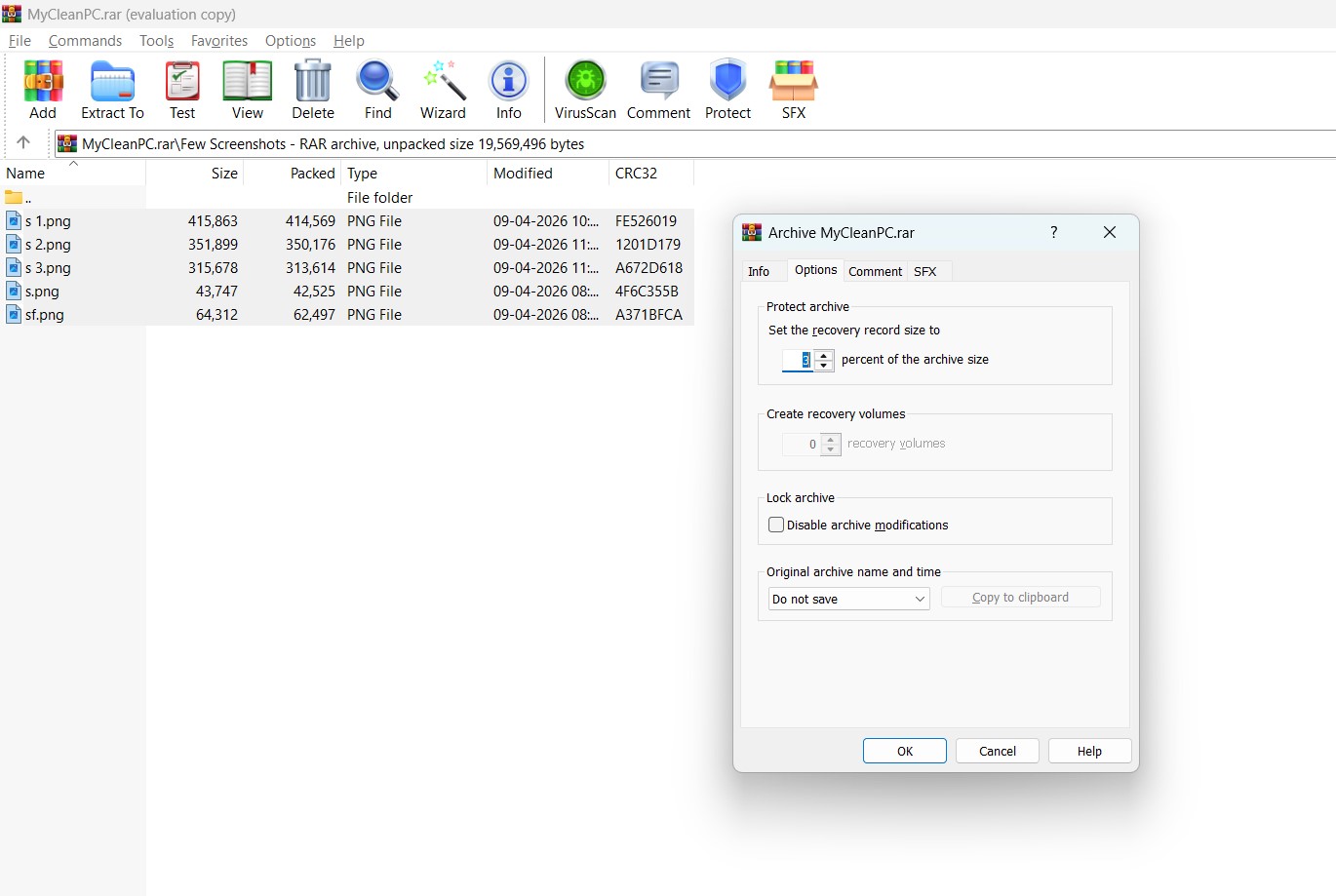
Next, I visited the protection settings, and found the “Archive Lock” option. This feature lets you lock an archive to prevent any modifications.
This effectively prevents all accidental changes and any random files getting slipped into the archive. In my opinion, this works great for project backups and handoffs, as well as for documentation packages.
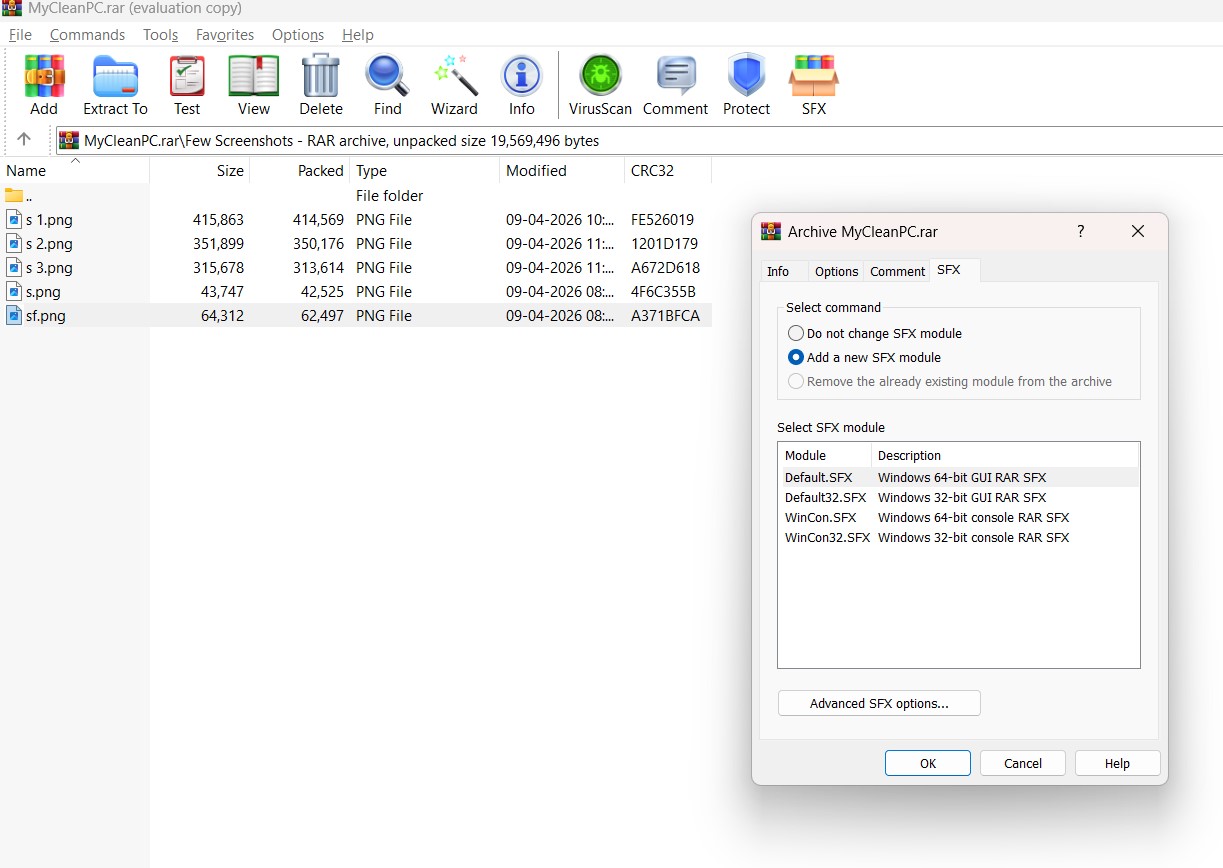
After that, I ventured into the SFX section. This one is a classic WinRAR feature. This is where you can create self-extracting archives.
Multiple modules, including 32-bit and 64-bit GUI versions, are available. In other words, you can package files in an archive that extracts itself without requiring the end recipient to install WinRAR.
Self-extracting packages are still popular among internal IT teams and software development teams.
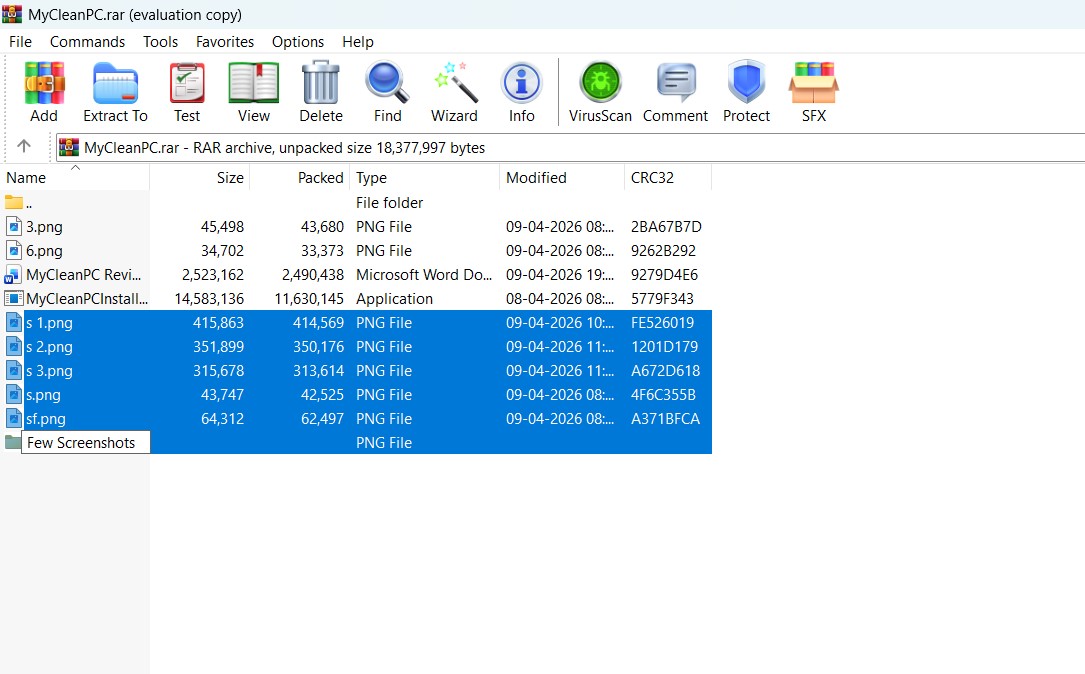
The most underrated feature, in my opinion, is “Archive Splitting.” I explored this one too. This one will come handy if you want to send large files to somebody who has storage restrictions, or maybe if you want to move a huge backup arrive across several drives.
Did WinRAR Support Live up to the Expectations?
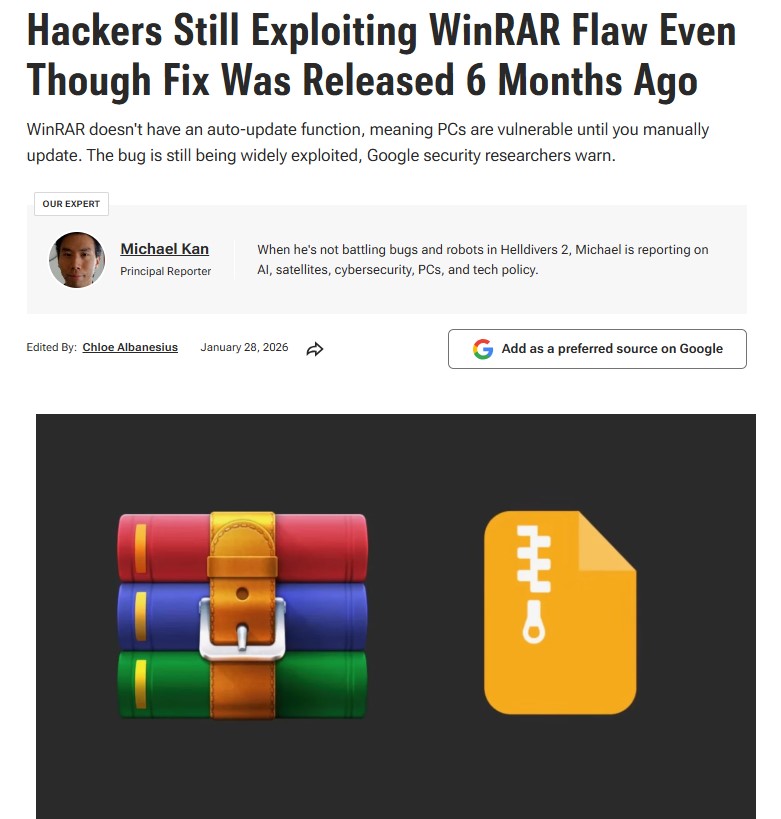
In January 2026, several news portals pointed out a vulnerability in WinRAR, which was first identified by the Google Threat Intelligence team.
The report painted a pretty rough picture. Google researchers were basically warning that hackers were still going after the flaw months after the patch dropped, mostly because WinRAR still doesn’t automatically update itself.
The report also got into malware campaigns, phishing setups, and even state-backed groups passing around weaponized RAR archives. I decided to send them an email then and there.
The response from the support team impressed me. First of all, they didn’t blow me off with some canned “please update to the latest version” response. I actually got a detailed breakdown back.
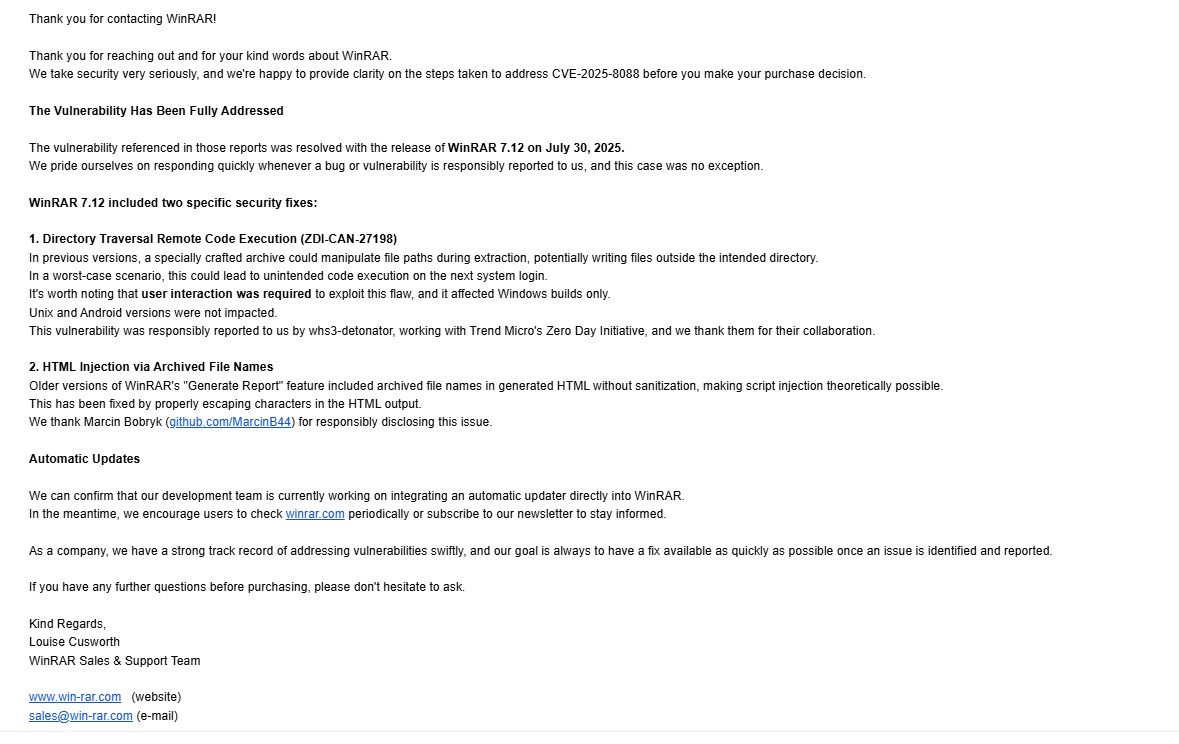
According to the WinRAR support team, the issue had already been fixed in WinRAR 7.12. They confirmed that the company is developing an automatic updater, something WinRAR loyalists have been craving for.
This last bit piqued my interest. This is because the PCMag piece kept hammering home the idea that WinRAR has no auto-update system and users are basically on their own unless they manually go hunt down updates. Technically, that’s still true right now. You still have to go grab updates yourself.
But the email I received changes the picture a bit. It sounds like they know this has become a real weak spot and are trying to catch up.
However, there’s no live chat option. Asking a sales or technical question means sending an email and waiting for 48 hours (typically less) for someone to get back to you. In 2026, I would expect a company selling a software sitting on hundreds of millions of computers worldwide to integrate at least a live chat option on their website.
Should You Pay for WinRAR in 2026?
The question still remains, is WinRAR still worth it? Despite being more than three decades old, WinRAR is still a staple in corporate IT ecosystems. It’s not one of those trendy and hot tools. But it’s effective, reliable, and low cost.
The desktop utility was developed keeping in mind the business users, and the corporate IT requirements for encryption, recovery and archive splitting are still deeply embedded in modern-day business workflows.
I do not know whether you are a personal user or business user reading this, but if you are after a tool that is quiet, effective, secure, and affordable, WinRAR is going to fir the bill for you. 100%. It’s a tool that does its job without fuss, and offers some add-ons that you’d never expect.